
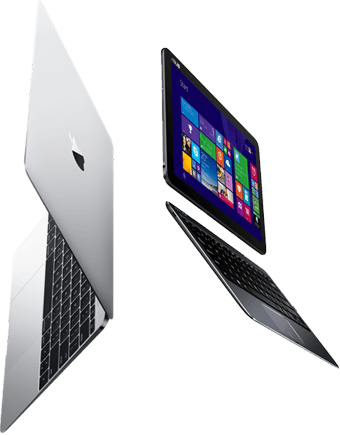
MacBook Air 15-inch M3 (2024) repair in London: bring it to our workshop in Bermondsey or ask about courier collection, and we will confirm a price before any work starts. The MacBook Air 15-inch M3 is a 2024 laptop with a 15.3-inch screen, identified by model number A3114. Storage and memory are both fixed to the board, which shapes what can be upgraded and how data is recovered.
- Model number
- A3114
- Model identifier
- Mac15,13
- Released
- 2024
- Type
- Laptop
- Screen
- 15.3-inch
- Storage
- Soldered to the board
- Memory
- Unified memory, part of the chip
Repairs we carry out on the MacBook Air 15-inch M3
Screen replacement
We fit a complete 15.3-inch display assembly. That deals with cracks, lines, backlight faults and dead pixels in one repair.
Price confirmed before work starts
macOS reinstall and repair
We reinstall macOS, migrate data, and can revive or restore the firmware in DFU mode from a second Mac when an update has left the machine unresponsive.
Battery replacement
The battery is bonded into the top case. We release it with adhesive remover, fit a new one and check the cycle count and charging afterwards.
Price confirmed before work starts
Keyboard and trackpad repair
Individual keys and keycaps can often be repaired. A keyboard with liquid damage or several dead keys is replaced, which on this model means the top case.
Charging port and power repair
We test the charger, the port and the charging circuit separately. A Mac that will not charge is often a port or a single failed component on the logic board.
Storage
Storage on the MacBook Air 15-inch M3 is soldered and cannot be upgraded. We can help with external storage, clearing space, or moving to a new machine.
Memory
Memory in the MacBook Air 15-inch M3 is part of the Apple silicon chip and cannot be changed after purchase.
We also carry out logic board repair, liquid damage repair, hinge and casing repair, macOS reinstallation on the MacBook Air 15-inch M3, along with USB, HDMI and audio port repair, Wi-Fi and Bluetooth card replacement, webcam and speaker faults and data transfer to a new machine.
Known issues with the MacBook Air 15-inch M3 range
- There is no fan, so liquid that gets under the keyboard tends to sit on the logic board. Switching off straight away and having the board cleaned properly makes a real difference to the outcome.
- Cracked displays are the repair we are asked about most on these: the panel is thin, and a small object left on the keyboard when the lid closes is enough to break it.
- Storage and memory are part of the logic board on Apple silicon MacBook Air models, so neither can be upgraded later, and a dead board means data has to be recovered at board level.
Data recovery from the MacBook Air 15-inch M3
The SSD in the MacBook Air 15-inch M3 is soldered and hardware-encrypted, so there is no drive to remove. If the Mac is dead, data recovery means repairing the logic board far enough to start it and copy the data off. If you have a Time Machine or iCloud backup, tell us, as that may be the quicker route.
Estimate the cost with our data recovery calculator, or read about recovering files after a ransomware attack.
Where the MacBook Air 15-inch M3 sits in the range
Its nearest relatives in the MacBook Air range are the older MacBook Air 15-inch M2 (2023) and the newer MacBook Air 15-inch M4 (2025).
Questions
Can the SSD or memory in the MacBook Air 15-inch M3 be upgraded?
The storage is soldered and cannot be upgraded. Memory is part of the chip and cannot be changed.
My MacBook Air 15-inch M3 will not turn on. Is my data lost?
Not necessarily, but the storage is on the main board, so the board has to be repaired far enough to read it. Do not keep trying to power it on, and tell us about any backups you have.
Where do I find the model number on my Mac?
The model number, an A followed by four digits, is printed in small text on the underside. Apple menu > About This Mac shows the year. For this model, look for A3114.
How do I get my MacBook Air 15-inch M3 to you?
Bring it to our workshop at Unit 1 The Willows, 80 Willow Walk, London SE1 5SY, or call 020 7237 6805 to ask about courier collection. We confirm the price before any work starts.