
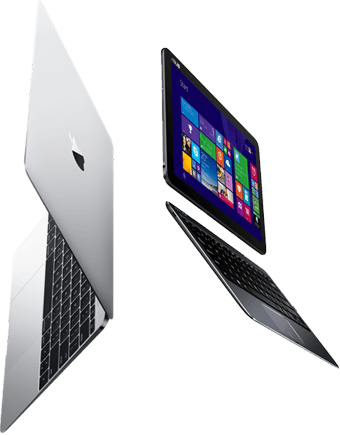
Panasonic Toughbook CF-MX4 repair in London: bring it to our workshop in Bermondsey or ask about courier collection, and we will confirm a price before any work starts. The Panasonic Toughbook CF-MX4 is a 2014 2-in-1 laptop with a 12.5-inch screen. Both the drive and, on most configurations, the memory can be upgraded, which makes it a good candidate for a refresh.
- Model number
- CF-MX4
- Released
- 2014
- Type
- 2-in-1 laptop
- Screen
- 12.5-inch
- Storage
- 2.5-inch SATA drive
- Memory
- SODIMM slots
Repairs we carry out on the Panasonic Toughbook CF-MX4
Touchscreen replacement
The 12.5-inch touchscreen is bonded to its glass, so cracked glass, dead touch and display faults are all fixed by replacing the bonded panel.
Price confirmed before work starts
SSD and storage upgrade
The Panasonic Toughbook CF-MX4 uses a 2.5-inch SATA drive. Replacing a hard drive with an SSD is the biggest speed improvement available for a machine of this age.
Price confirmed before work starts
Memory upgrade
Most configurations of the Panasonic Toughbook CF-MX4 have SODIMM memory slots, so memory can be increased. We check what is fitted and the maximum the board supports.
Windows repair and reinstall
This model does not meet Microsoft’s Windows 11 requirements, and Windows 10 reached end of support in October 2025. We can advise on the realistic options, including a lightweight Linux or ChromeOS Flex installation.
Battery replacement
Most configurations have a clip-in battery that can be swapped in seconds. We also test the charging circuit, because an old battery is not always the only fault. A battery of this age that swells should be replaced before it damages the trackpad or casing.
Price confirmed before work starts
Charging port and power repair
The round charging socket wears and works loose. On most configurations it is a separate part on a short cable and is replaced without motherboard work.
We also carry out keyboard and trackpad repair, motherboard repair, liquid damage repair, overheating and fan repair, hinge and casing repair, virus removal on the Panasonic Toughbook CF-MX4, along with USB, HDMI and audio port repair, Wi-Fi and Bluetooth card replacement, webcam and speaker faults, BIOS password removal with proof of ownership and data transfer to a new machine.
Known issues with the Toughbook range
- Many are ex-fleet machines with BIOS passwords set; we ask for proof of ownership.
- Toughbooks are sealed against dust and water, and those seals need to go back correctly after a repair.
Data recovery from the Panasonic Toughbook CF-MX4
The Panasonic Toughbook CF-MX4 has a 2.5-inch drive that we remove and image on our own equipment. If the drive is clicking or was dropped, stop powering it on: each attempt can do more damage.
Estimate the cost with our data recovery calculator, or read about recovering files after a ransomware attack.
Questions
Can the SSD or memory in the Panasonic Toughbook CF-MX4 be upgraded?
The 2.5-inch drive can be replaced with an SSD. Memory is in slots on most configurations and can be increased.
My Panasonic Toughbook CF-MX4 will not turn on. Is my data lost?
Usually not. The drive is separate from the fault in most cases, and we can remove it and copy your files even if the machine itself is not worth repairing.
How much does a Panasonic Toughbook CF-MX4 screen replacement cost?
Price confirmed before work starts. The exact figure depends on the part your machine needs, and we confirm it before any work starts.
Is a 2014 Panasonic Toughbook CF-MX4 still worth repairing?
It depends on the fault. A battery, SSD or charging socket is usually worth doing. A major board repair on an older machine may cost more than the machine is worth, and if that is the case we will say so.