
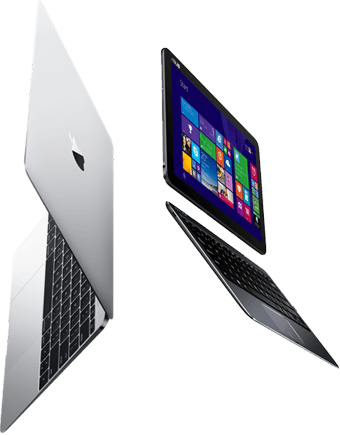
If your Packard Bell oneTwo All-in-One M3870 will not start, shows no picture, runs hot or has become slow, we can diagnose and repair it at our Bermondsey workshop. The Packard Bell oneTwo All-in-One M3870 is a 2013 all-in-one PC with a 21.5-inch screen. Parts are matched to the exact chassis, so the model number matters when we quote.
- Model number
- M3870
- Released
- 2013
- Type
- All-in-one PC
- Screen
- 21.5-inch
- Storage
- 2.5-inch SATA drive
- Memory
- SODIMM slots
Repairs we carry out on the Packard Bell oneTwo All-in-One M3870
Screen replacement
The 21.5-inch panel is the front of the whole machine. We replace cracked, dark or lined panels and check the backlight circuit, because a black screen on an all-in-one is not always the panel.
Price confirmed before work starts
SSD and storage upgrade
The Packard Bell oneTwo All-in-One M3870 uses a 2.5-inch SATA drive. Replacing a hard drive with an SSD is the biggest speed improvement available for a machine of this age.
Price confirmed before work starts
Memory upgrade
Most configurations of the Packard Bell oneTwo All-in-One M3870 have SODIMM memory slots, so memory can be increased. We check what is fitted and the maximum the board supports.
Windows repair and reinstall
This model does not meet Microsoft’s Windows 11 requirements, and Windows 10 reached end of support in October 2025. We can advise on the realistic options, including a lightweight Linux or ChromeOS Flex installation.
We also carry out motherboard repair, overheating and fan repair, virus removal on the Packard Bell oneTwo All-in-One M3870, along with stand repair, no-picture and no-boot diagnosis, port repair, Wi-Fi and Bluetooth card replacement and data transfer to a new PC.
What we see on the bench
- At this age the usual faults are failing hard drives, worn charging sockets and tired batteries.
- Packard Bell laptops share most of their internals with Acer models of the same years, which is how we source parts.
Data recovery from the Packard Bell oneTwo All-in-One M3870
The Packard Bell oneTwo All-in-One M3870 has a 2.5-inch drive that we remove and image on our own equipment. If the drive is clicking or was dropped, stop powering it on: each attempt can do more damage.
Estimate the cost with our data recovery calculator, or read about recovering files after a ransomware attack.
Questions
Can the SSD or memory in the Packard Bell oneTwo All-in-One M3870 be upgraded?
The 2.5-inch drive can be replaced with an SSD. Memory is in slots on most configurations and can be increased.
My Packard Bell oneTwo All-in-One M3870 will not turn on. Is my data lost?
Usually not. The drive is separate from the fault in most cases, and we can remove it and copy your files even if the machine itself is not worth repairing.
How much does a Packard Bell oneTwo All-in-One M3870 screen replacement cost?
Price confirmed before work starts. The exact figure depends on the part your machine needs, and we confirm it before any work starts.
Is a 2013 Packard Bell oneTwo All-in-One M3870 still worth repairing?
It depends on the fault. A battery, SSD or charging socket is usually worth doing. A major board repair on an older machine may cost more than the machine is worth, and if that is the case we will say so.